
Blood pressure records to bring to your appointment
Blood pressure monitors that sync with an iPhone make it easy to keep a record without entering every reading by hand.
I wanted to print the readings from my previous appointment to the next on a single sheet of paper to bring along.
That’s why I made Blood Pressure Report. It turns blood pressure readings saved in Apple’s Health app into charts that you can view or print.
Your recent readings and those from the preceding period can be brought together in a one-page report. Color output is available too, but I designed the lines to remain distinguishable in grayscale.
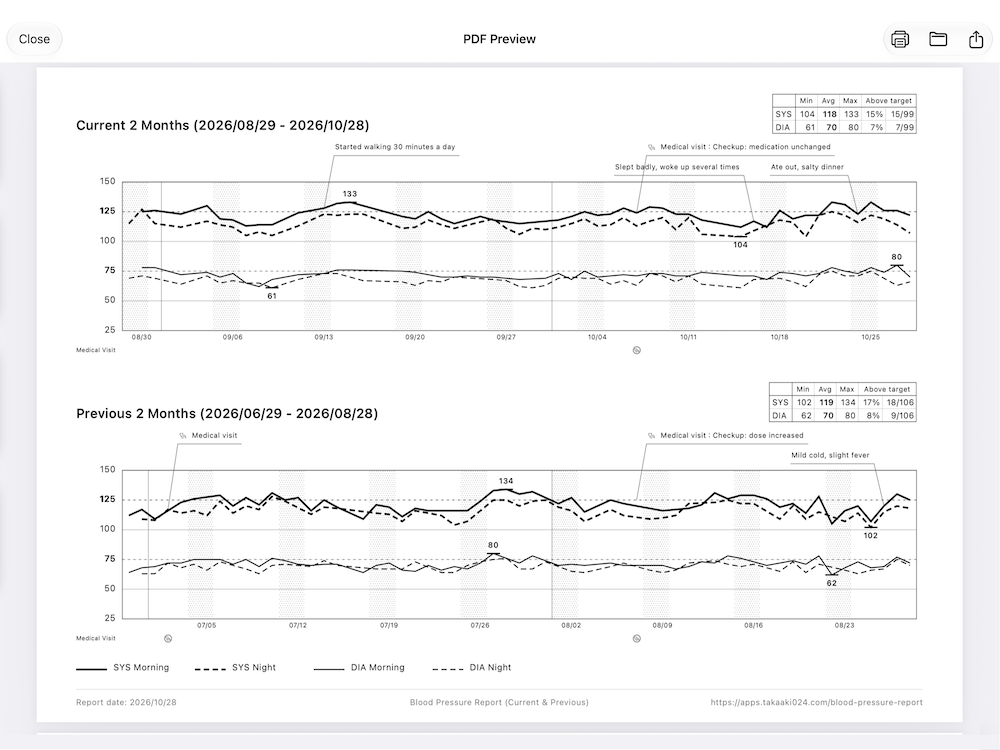
Review your readings between appointments
For example, if you visit your doctor every two months, you can create a report comparing your most recent two months with the two months before that. You can show it to your doctor during an appointment and use it as a reference when discussing medication or lifestyle changes.
You can also view blood pressure trends as charts in the app, making it easy to review changes over time.
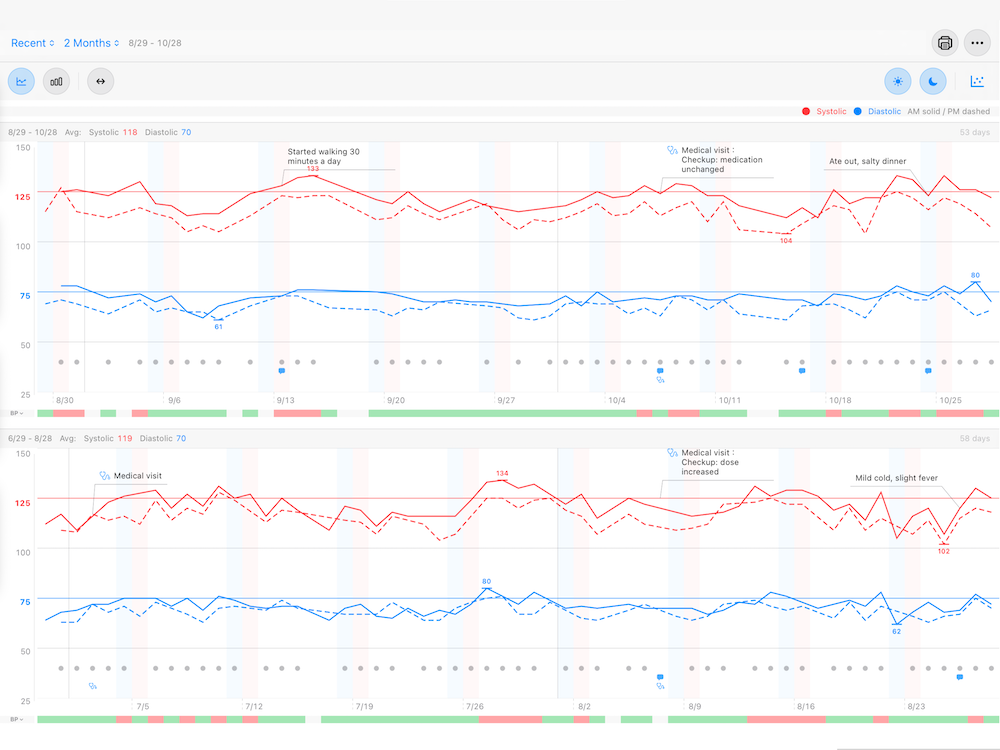
The setup I use
I use an OMRON HCR-7608T2 blood pressure monitor with Bluetooth. I keep my readings in OMRON Connect and sync them to the Health app on my iPhone.
OMRON Connect also creates clear blood pressure reports of its own.
For appointments, though, I wanted everything on a single sheet, without having to turn pages. I also wanted a layout that would make it easy for my doctor and me to look at the same report while talking. I made this app to suit that particular need.
Before using the app
This app does not measure or record your blood pressure. Blood pressure readings must already be saved in Apple’s Health app.
For ongoing use, we recommend a blood pressure monitor or its companion app that can sync with Health. Before using Blood Pressure Report, check that your readings are being saved correctly by the Health app or the monitor manufacturer’s app.
This app does not provide diagnoses, treatment recommendations, or medication advice. Always consult a physician or other qualified healthcare professional when making decisions about your health or treatment.


