What This App Does
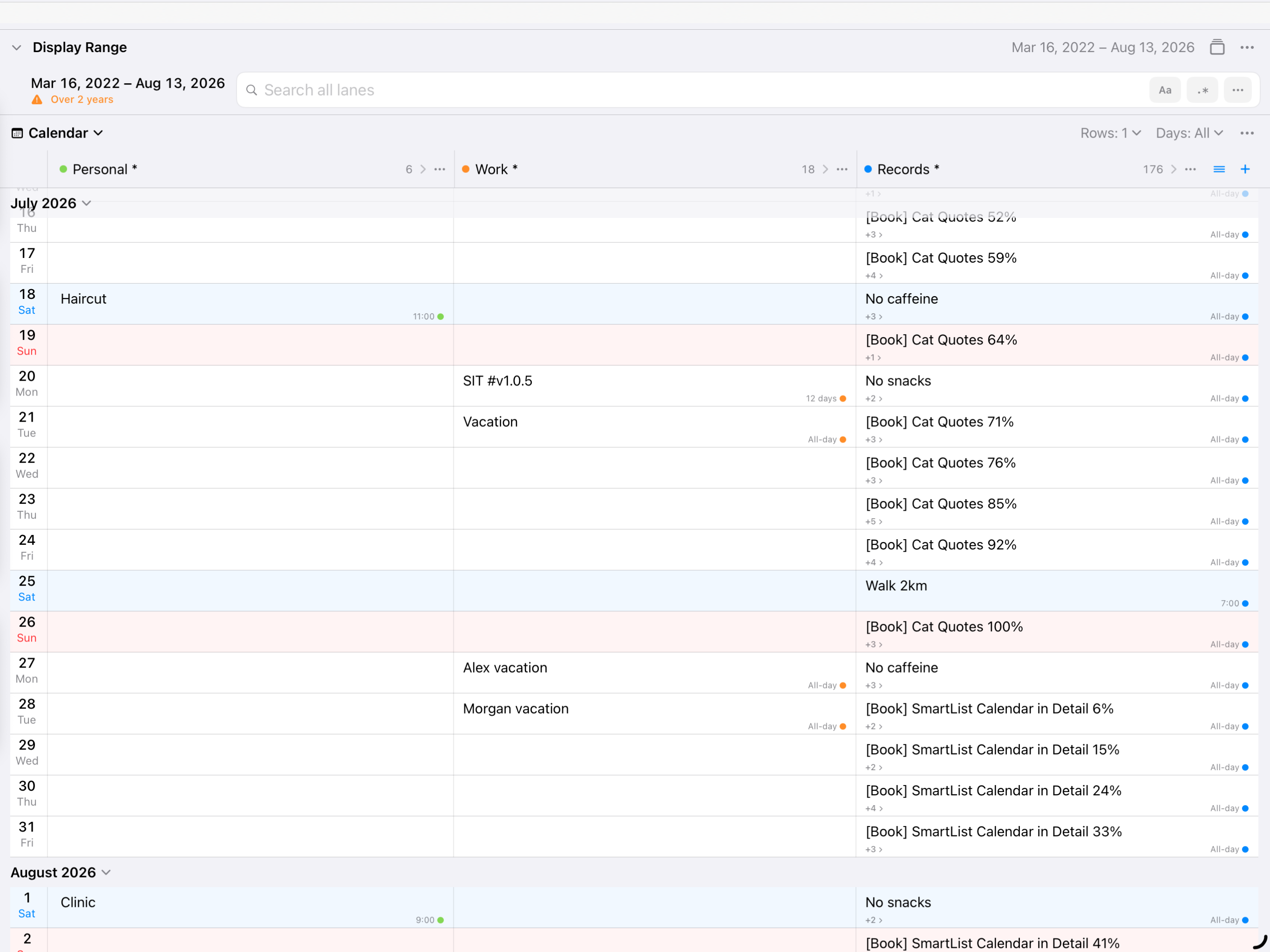
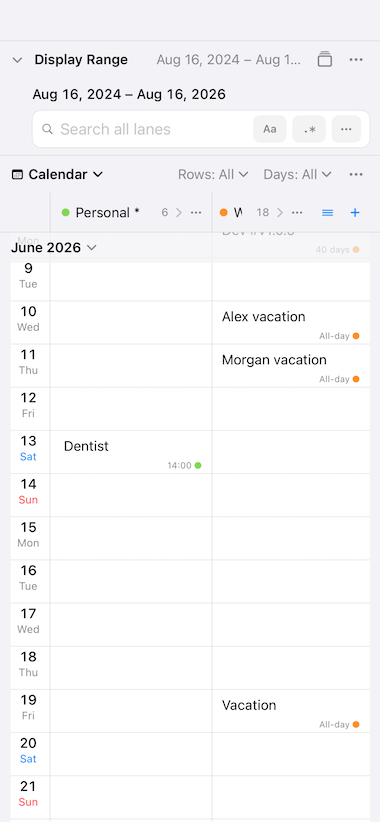
Calendar Lanes displays the calendars from the built-in Calendar app on iOS as multiple vertical lanes arranged side by side.
For example, you can create separate lanes to compare:
- Events and schedules for each family member
- Team members’ vacations and time off
- Work and personal events
- Events for different projects
Each lane can use its own calendars and search conditions. You can save these combinations as views, making it easy to return to the same arrangement whenever you need it.
Calendar Lanes is also useful for reviewing and organizing existing events.
- Personal events have accidentally been added to a work calendar
- Similar events use inconsistent titles that you want to standardize
- You want to review only events containing a particular keyword
Filter your events using search conditions, find entries saved to the wrong calendar or using inconsistent wording, and edit them directly.
Whether you want to compare several schedules or clean up existing calendar data, Calendar Lanes gives you a clear side-by-side calendar view.
Calendar Lanes also works on iPhone, but we recommend using it on iPad, where the larger screen lets you see a wider range at once.