What This App Does
Carmine Home is an unofficial app that makes business cards imported into ScanSnap Home for Mac easier to browse and find.
Before you begin
- ScanSnap Home for Mac is required. Carmine Home cannot be used with the iPhone app alone.
- First import your cards on your Mac, then export them to your iPhone.
Import new cards
When you add or change a card in ScanSnap Home, run an import in Carmine Home. Cards do not sync automatically.
New cards and changes are copied into Carmine Home, so your data in ScanSnap Home is never changed.
Find cards more easily on your Mac
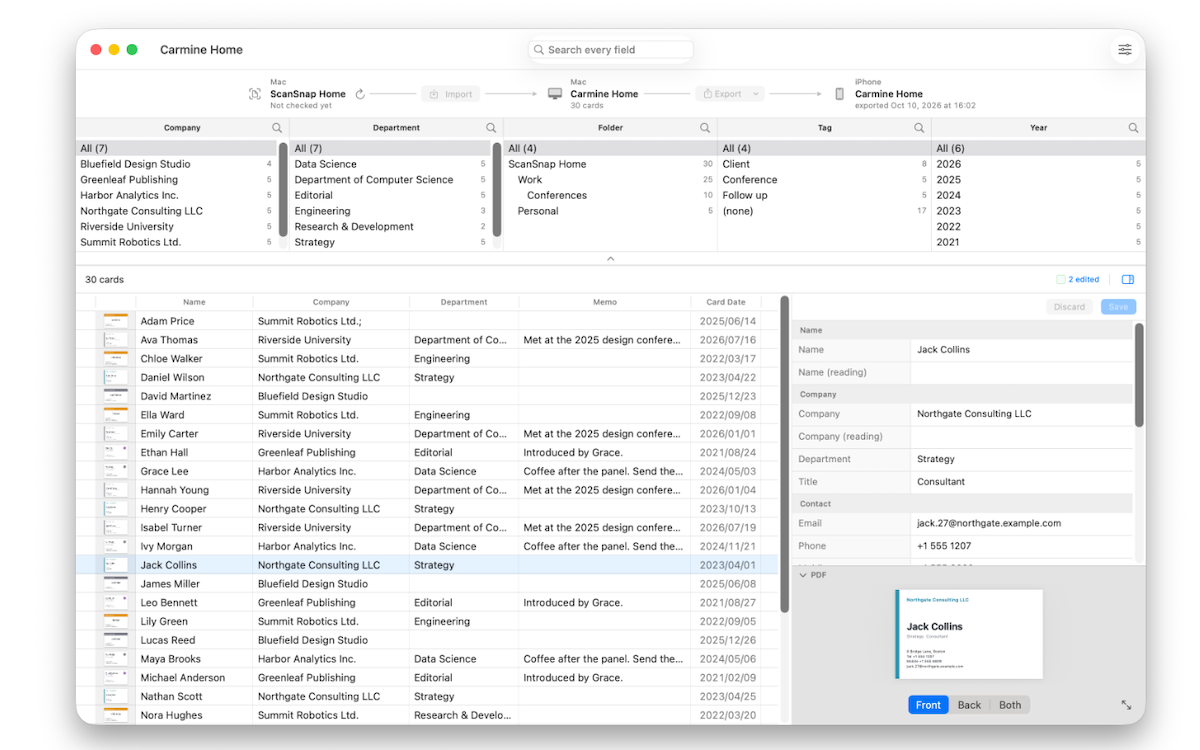
Search by company, name, department, contact details, notes, and more. Narrow the list by folders or tags, then view the card image and PDF.
Correct recognition results for yourself
Edit names, companies, contact details, and more that were captured by OCR. You can also see which fields changed in ScanSnap Home. Your edits stay in Carmine Home and are not written back to ScanSnap Home.
Keep the cards you need on your iPhone
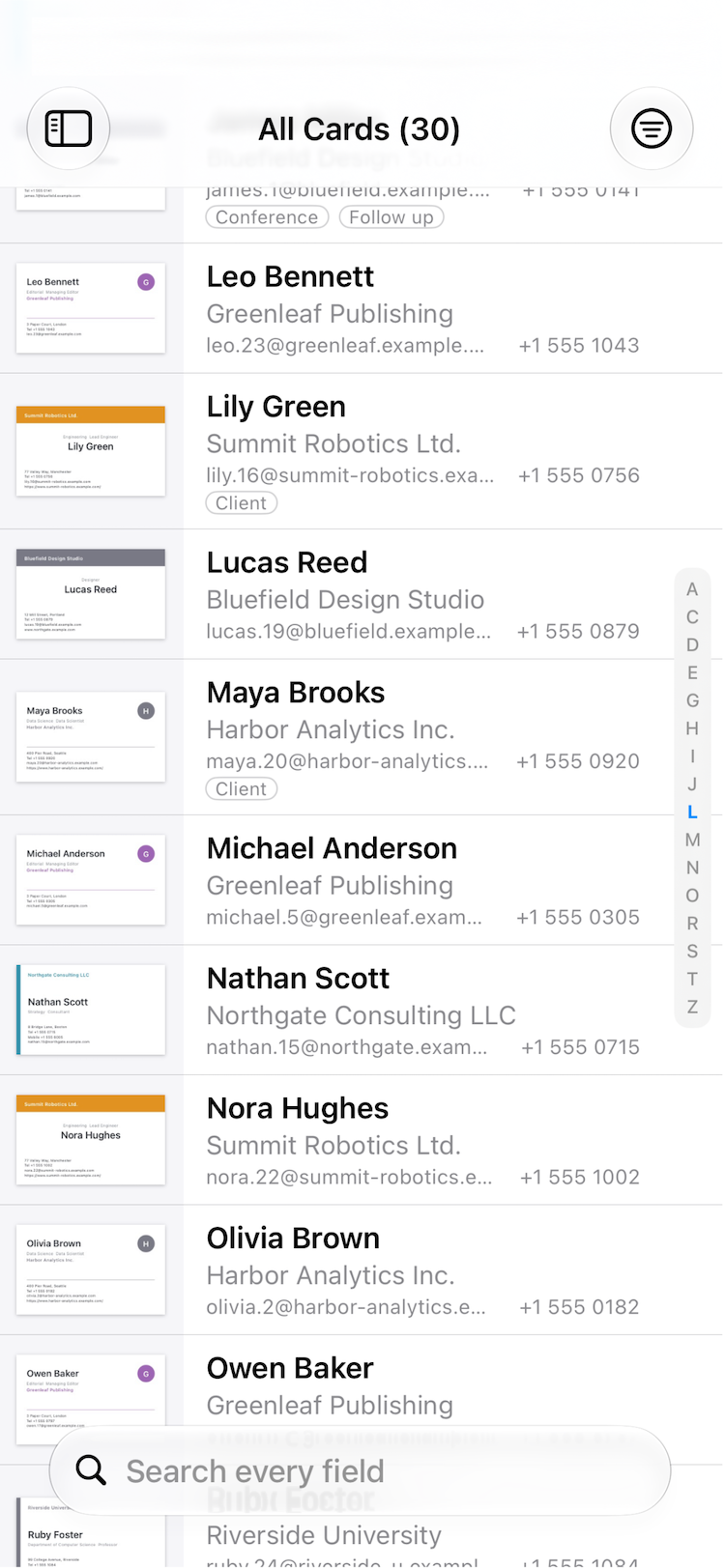
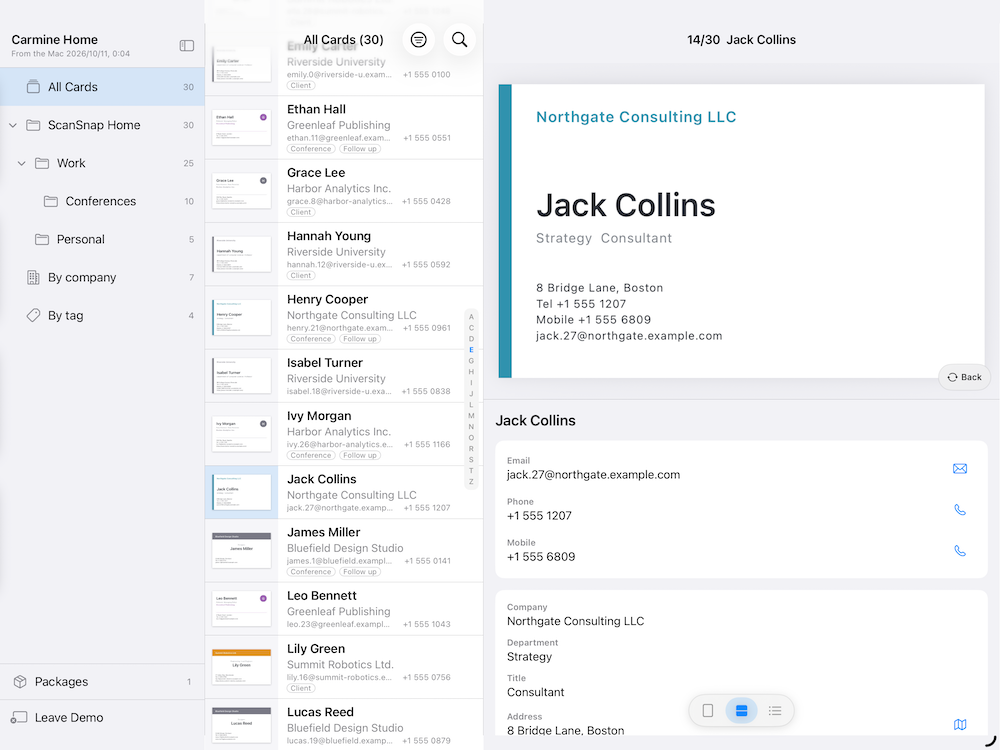
Export your card library from your Mac and transfer it to your iPhone with AirDrop or Files. On iPhone, browse and search cards, and view their images and PDFs. The iPhone app is for viewing only.
Keep your data with you
Your card data is not sent to an external cloud service.
Try sample cards first
Even without ScanSnap Home, choose “Try Sample Cards” on the first screen to explore the main features with sample card data. Sample mode does not change your cards or settings.
Please note
- Carmine Home does not scan cards. It works with business-card data from ScanSnap Home for Mac and does not support data from the Windows version.
- Carmine Home is not an official app from the provider of ScanSnap or ScanSnap Home.