I wanted playlists on my Walkman, but the extra work kept putting me off
I’ve liked Smart Playlists ever since the iTunes days: combining rules to gather songs by a favorite artist, or leave out tracks with certain words in the title. As the library grows, matching songs join the playlist automatically.
But using that playlist on a Sony Walkman digital music player with an SD card takes extra work. Export the playlist, then edit the track paths to match their locations on the card. Every update means doing it again. And depending on how characters in file names are represented, the player may miss tracks (songs with Japanese voiced kana such as パ or ガ in their names just didn’t show up…).
I wanted to use my playlists, but kept putting off the file editing needed to get them onto the player. I made M3U Playlist Builder to reduce that work.
It filters songs from the Music app on your Mac by conditions and writes M3U playlists that digital audio players (DAPs), such as a Walkman, can use.
Before You Start
You copy the music files to the SD card yourself, keeping the same folder structure and file names as under the source root folder on your Mac. This app writes only M3U files. It does not copy, sync, or convert music.
Songs from the Apple Music subscription catalog are not supported, even if downloaded for offline listening. DRM-protected music files are also not supported. Your player must support the audio format of your DRM-free files.
1. Choose tracks by conditions
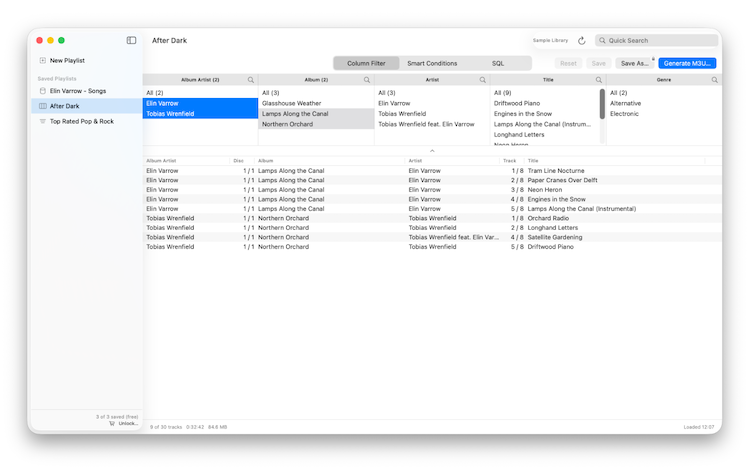
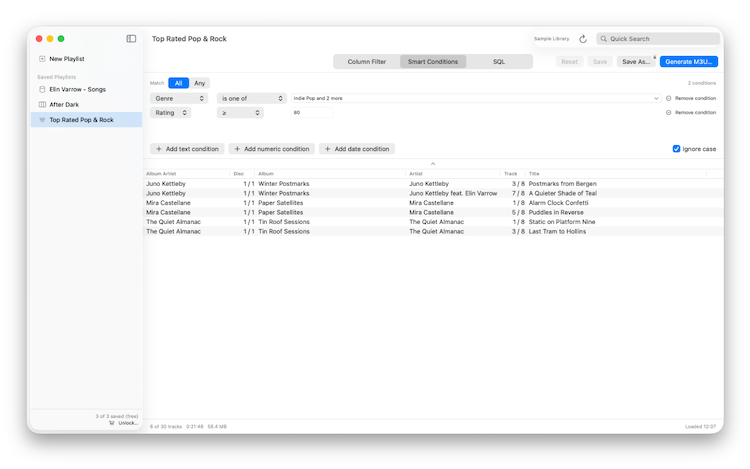
Three ways to build the conditions:
- Column Filter: pick from columns such as Genre and Artist
- Smart Conditions: list conditions (no nesting)
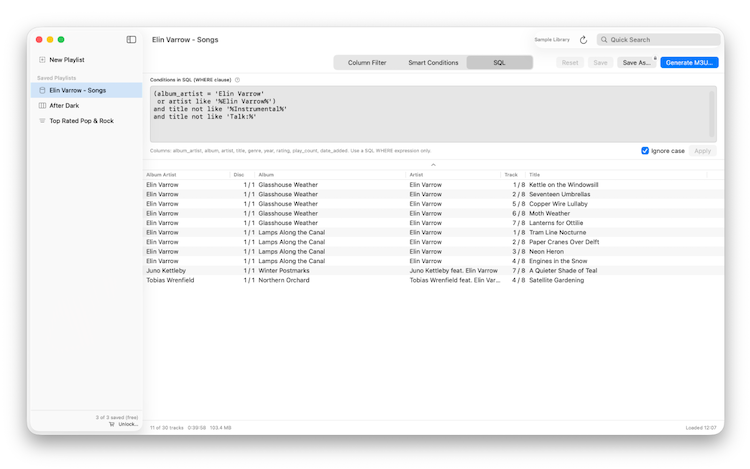
- SQL: write the WHERE clause yourself
SQL is handy for conditions like these:
- The album artist matches exactly
- The artist contains a name (to catch “feat.” credits)
- But the title contains neither “Instrumental” nor “Karaoke”
Matching ignores case by default.
2. Write M3U files
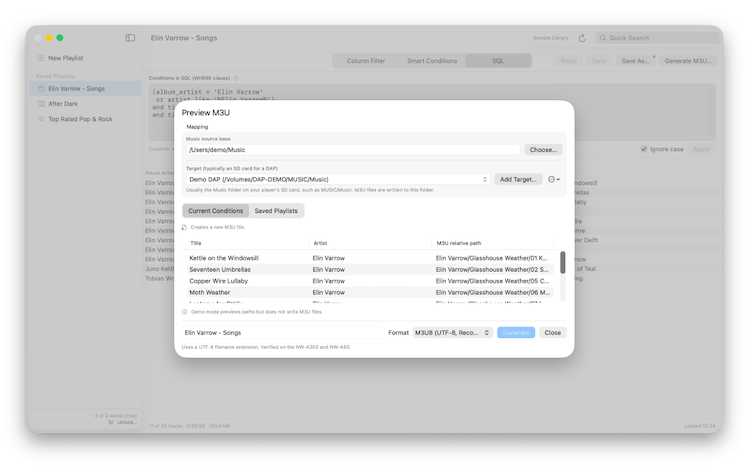
- Each track is written as a path relative to the output folder
- File names with accented characters, such as umlauts and accents, or Japanese voiced marks (dakuten), are written in a form the player recognizes
- Tested on the Walkman NW-A300 and NW-A50, with the files placed on the SD card like this:
MUSIC/Music/Artist1/Album1/Title1.m4a
MUSIC/Music/Artist2/Album2/Title2.m4a
MUSIC/Music/Playlist1.m3u8
- Other players haven’t been tested. If you try one, whether it works or not, please let me know through the support page
3. Play your playlists right there
- Play the list on screen or the songs you select, in order or shuffled
- A playlist saved in the sidebar plays from its context menu, exactly as it is exported
- The first time you play, the app asks for access to the folder that holds your music files
FREE VERSION AND IN-APP PURCHASE (ONE-TIME)
- The free version saves named playlist filtering conditions within the app for up to 3 playlists. A one-time purchase removes this saved-playlist limit
- Writing M3U files is never limited, even from conditions you haven’t saved
- Everything else is the same
The free version lets you check whether an exported playlist works on your actual player before purchasing.