Reorder-It!
An easy way to reorder email addresses in the Contacts app.
Reorder-It! – helps you tidy addresses
Reorder-It! is an iPhone app that helps you reorder addresses in your contacts.
It is useful when a contact has multiple email addresses, like this:
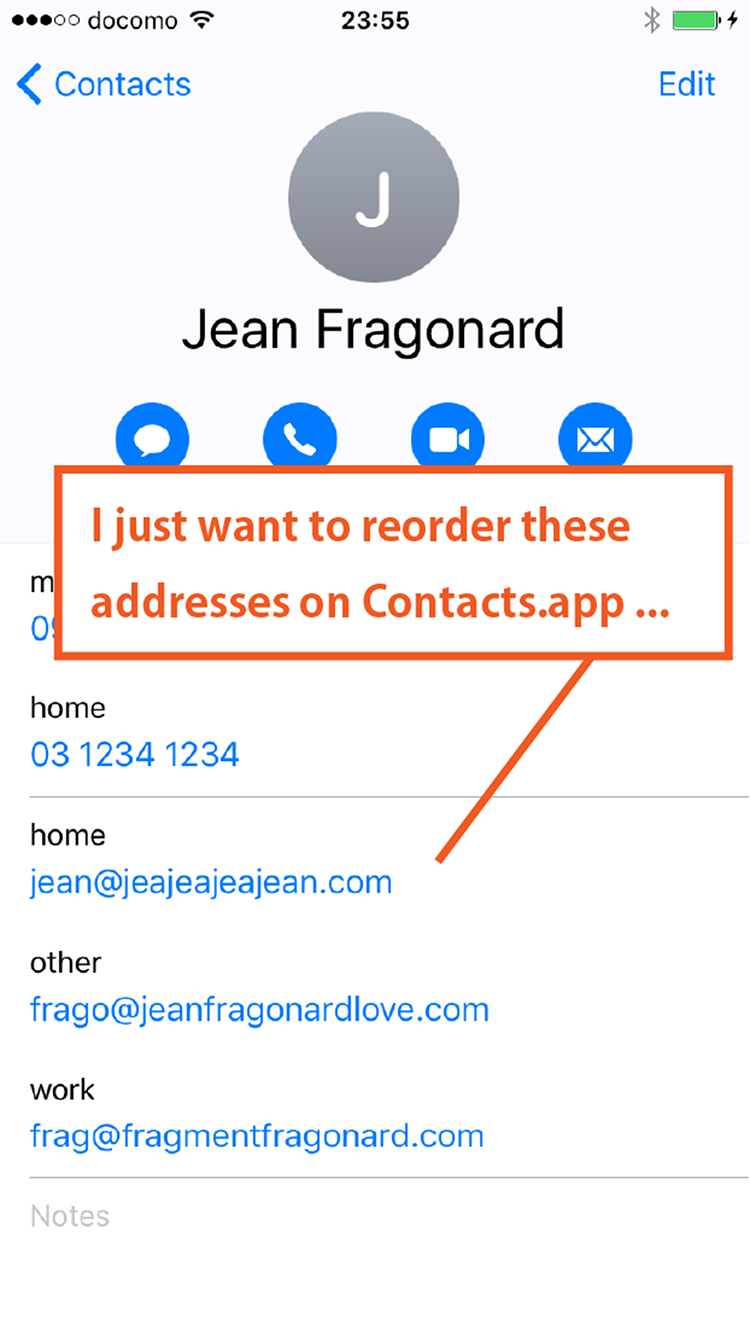
(This screenshot is not from “Reorder-It!”, but from the iPhone “Contacts” app.)
I don’t know why the standard Contacts app or other address book apps on the App Store don’t have this feature.
Sometimes a friend tells you, “I’ve changed my mobile phone!”, and every time they change it, a new address gets added to your contacts.
Reorder-It! helps you tidy things up.
Feature: Reorder addresses
Start Reorder-It! and you will see a screen like this:
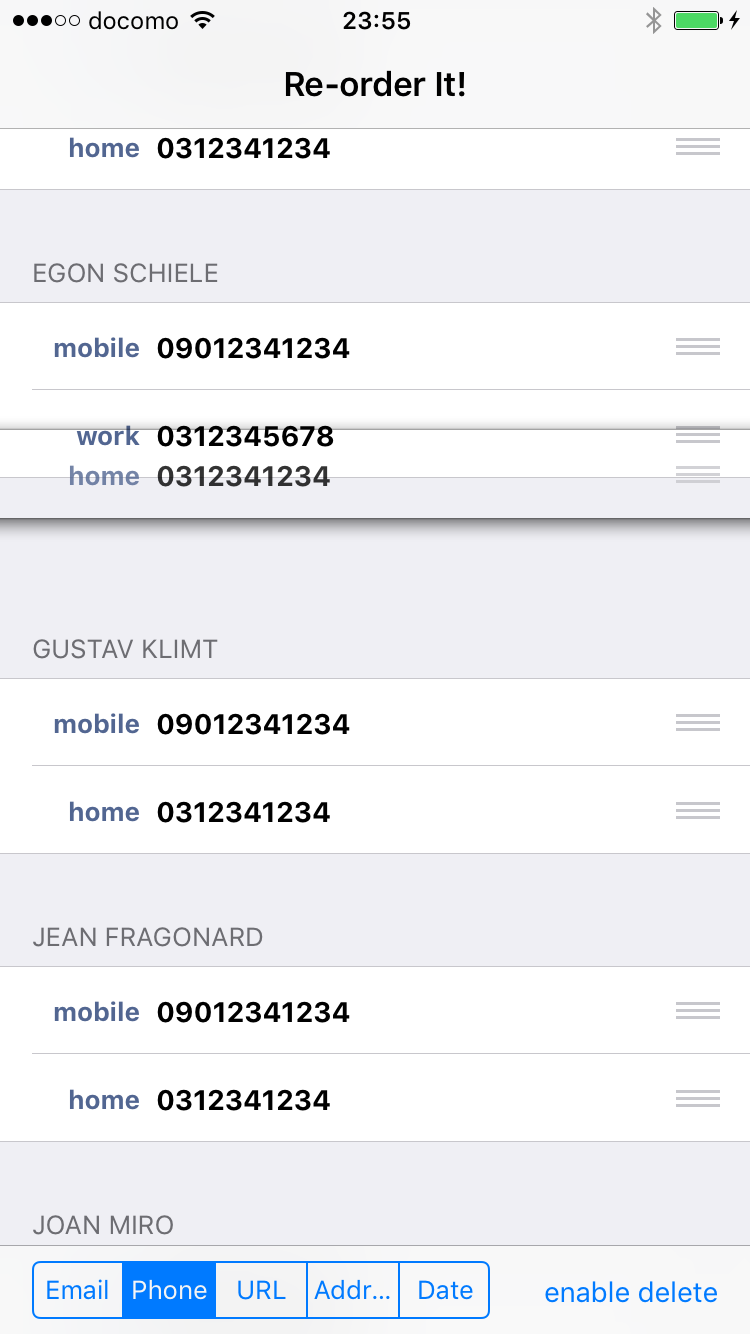
You can reorder each line by dragging the gray three-line button on the right side.
It’s easy, isn’t it?
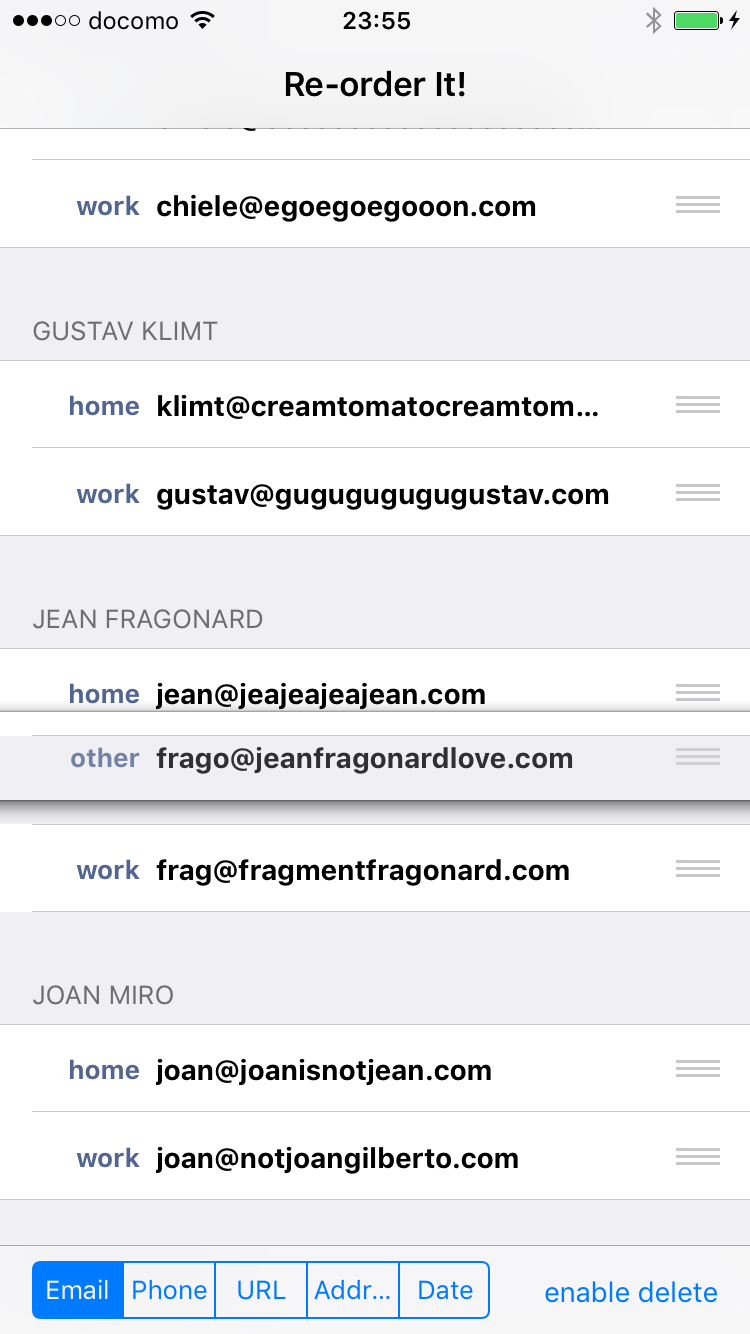
As you reorder the addresses, you may notice that some of them are no longer necessary.
In that case, you can delete addresses: enable delete mode with the button at the bottom right.
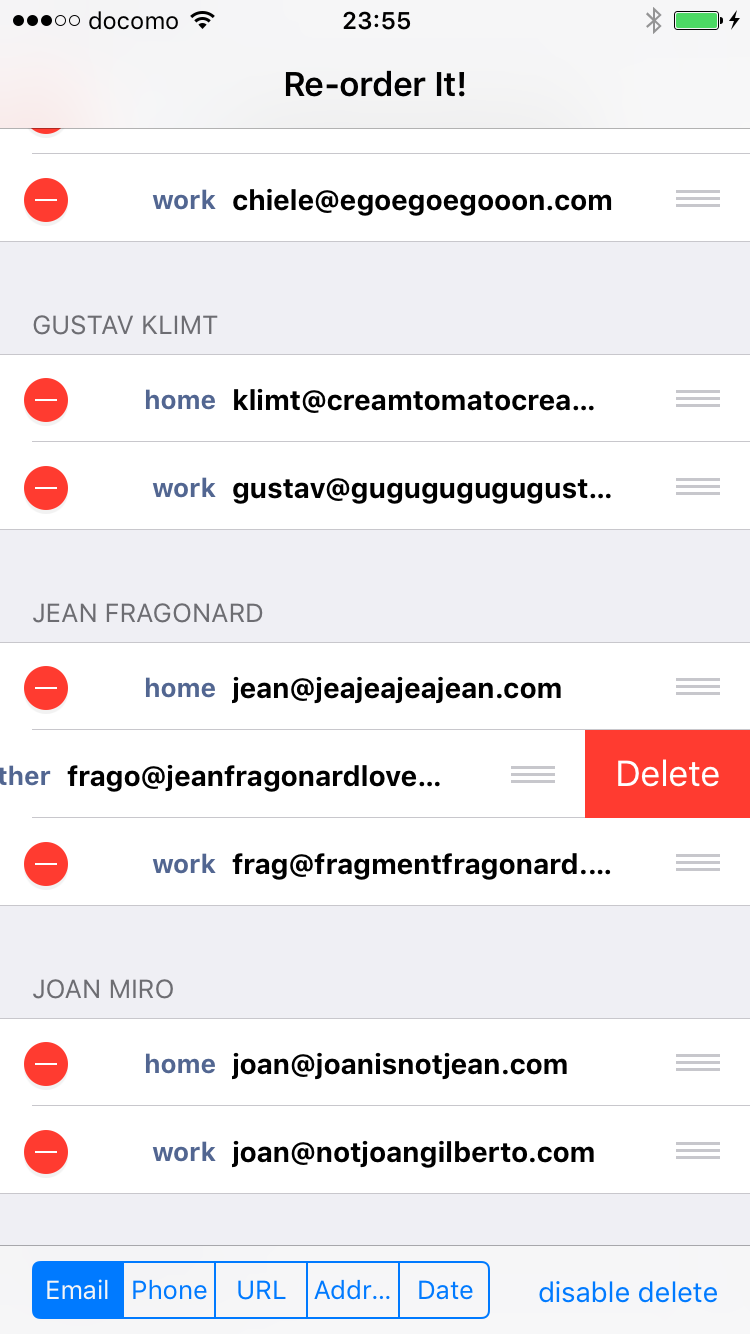
You can also reorder phone numbers. Switch to phone numbers with the button at the bottom left.
That’s all!
Inquiry
If you have any questions or feedback, please use the contact form below.
Thank you for your interest.
Contact FormAvailable on the App Store
If you’re interested, search for “Reorder” on the App Store,
or tap the link below.

takaaki024 app