Toggle Mirror
Want to toggle screen mirroring and extended display with Cmd + F1, but your keyboard doesn’t support it? -- this app is for you.
Toggle Mirror
ToggleMirror is a small utility that does just one thing:
when you have multiple displays connected to your Mac, it lets you switch between screen mirroring and extended display.
If you use a MacBook’s built-in keyboard or an Apple Magic Keyboard, you can already do the same thing with the Cmd+F1 (Brightness Down) shortcut, so you probably don’t need this app.
This app is intended only for people who don’t use Apple’s standard keyboards but still want to toggle between screen mirroring and extended display with a single action.
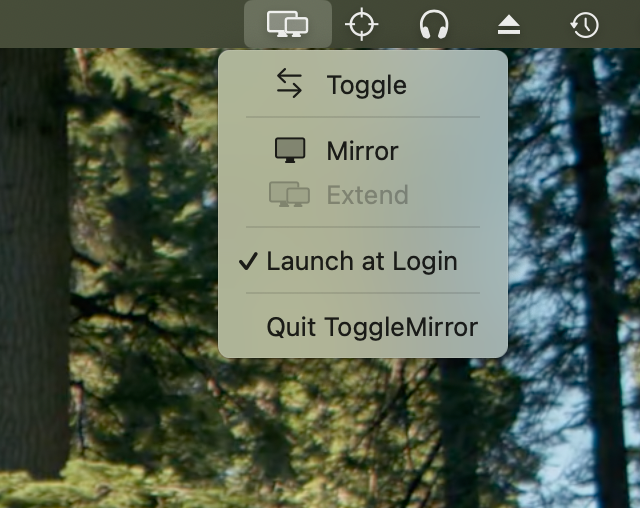
When you launch the app, a monitor icon appears in the menu bar at the top of the screen.
You can use this icon to switch between mirroring and extended display.
Inquiry
If you have any questions or feedback, please use the contact form below.
Thank you for your interest.
Contact FormAvailable on App Store
If you want, search "Toggle Mirror" on App Store, or Tap the link below.

takaaki024 app